Prior to accepting any settlement offer from your insurance company, you should consult with an experienced Indiana uninsured and underinsured motorist claims attorney. Call Langer & Langer at 219-464-3246 to schedule an initial consultation today.

4 Indiana Ave Valparaiso, IN 46383
in**@*******aw.com
(219) 464-3246
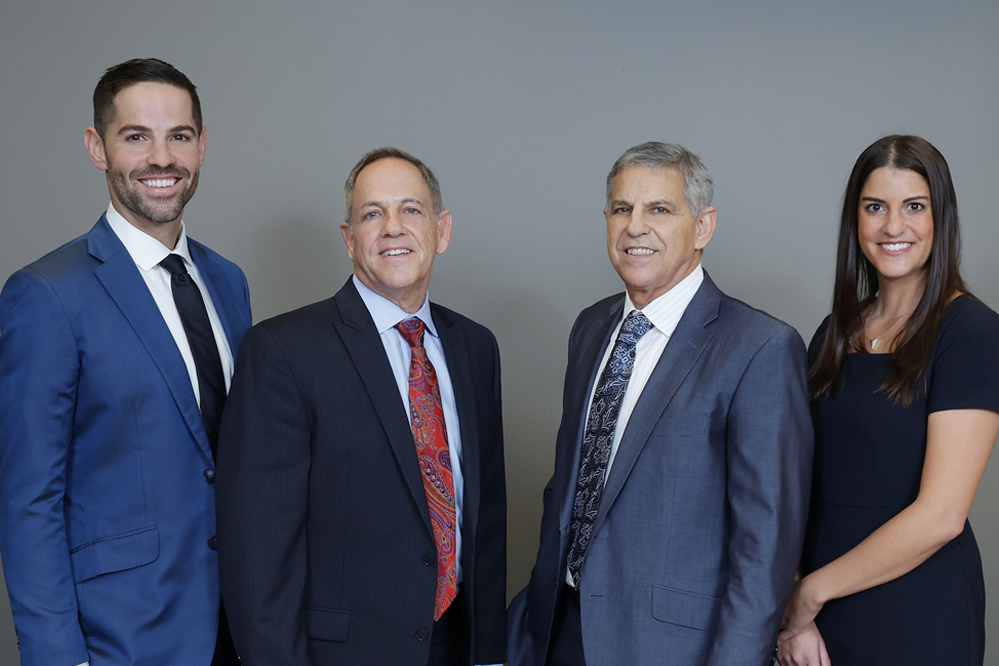
Whether you were involved in a car accident, bicycle accident, truck accident, motorcycle crash, or other collision, our attorneys are skilled in handling complex uninsured and underinsured motorist claims across Indiana. We are committed to ensuring accident victims receive the compensation they deserve without unnecessary delays or legal confusion.
When a crash occurs and the responsible driver is uninsured or underinsured, it’s crucial to contact your insurance representative immediately to seek coverage for your medical expenses and property damage. Accidents involving uninsured or underinsured drivers can leave victims facing life-altering injuries and overwhelming medical bills. From brain injuries and traumatic brain injuries (TBI) to spinal cord injuries and other catastrophic harm, insurance companies often fail to cover the full cost of treatment.
Insurance companies frequently resist paying claims in full. Even when you are current on your premiums, you may still struggle to cover your bills after an accident. That’s why our firm’s experienced Indiana Uninsured & Underinsured Motorist Lawyers are here to help. We have extensive experience handling these complex claims and are dedicated to doing everything possible to ensure our clients recover maximum compensation.
Suing an uninsured driver is only worthwhile if they have significant assets, like property or a high-paying job, that can satisfy a judgment. If they have few or no assets, a lawsuit may not yield compensation. It’s often more practical to recover damages through your uninsured/underinsured motorist (UM/UIM) coverage, and if that doesn’t fully cover your losses, a lawyer can help determine if the driver has assets that could be used.
If you’re hit by an uninsured driver in Indiana, you can file a claim under your UM coverage to cover medical bills and property damage, sue the driver directly if they have assets, and use MedPay or PIP coverage. Always call the police, gather evidence, and consult an attorney.
Uninsured motorist (UM) coverage generally does not cover: damage to your own car (collision coverage is needed), intentional injuries, accidents where you are at fault, hit-and-run property damage in some states, or situations where the other driver’s insurance is sufficient. It may also not cover your medical expenses if you have other applicable insurance or sufficient health coverage. For underinsured drivers or property damage, separate coverage may be required.
Yes, you can claim against an uninsured driver by filing a claim under your Uninsured Motorist (UM) coverage to cover medical bills, lost wages, and property damage. You can also sue the uninsured driver directly, though recovery may be difficult if they lack assets. Conversely, an uninsured driver can only claim against you if you were at fault and have liability insurance, as required by Indiana law.
The best protection against uninsured drivers is to carry uninsured/underinsured motorist (UM/UIM) coverage on your auto insurance to cover bodily injury and property damage. Additionally, maintain adequate liability insurance and consider collision coverage to protect your vehicle and shield yourself from claims by others.
If you get into a car accident without insurance in Indiana, you could face serious financial hardship. You may be personally responsible for all damages, including the other driver’s medical bills and lost wages. Driving without insurance is illegal and can lead to fines, license suspension, and full liability for the accident’s costs.



© 1980-2026 Langer & Langer • All Rights Reserved
Copyright © 1980-2026 All Rights Reserved.
Past results do not guarantee any future outcome, and every case is different.
We improve our products and advertising by using Microsoft Clarity to see how you use our website. By using our site, you agree that we and Microsoft can collect and use this data.
Have legal questions or need expert advice? Our experienced team is here to help.
Langer & Langer
Accessibility Statement
Compliance status
We firmly believe that the internet should be available and accessible to anyone, and are committed to providing a website that is accessible to the widest possible audience, regardless of circumstance and ability.
To fulfill this, we aim to adhere as strictly as possible to the World Wide Web Consortium’s (W3C) Web Content Accessibility Guidelines 2.1 (WCAG 2.1) at the AA level. These guidelines explain how to make web content accessible to people with a wide array of disabilities. Complying with those guidelines helps us ensure that the website is accessible to all people: blind people, people with motor impairments, visual impairment, cognitive disabilities, and more.
This website utilizes various technologies that are meant to make it as accessible as possible at all times. We utilize an accessibility interface that allows persons with specific disabilities to adjust the website’s UI (user interface) and design it to their personal needs.
Additionally, the website utilizes an AI-based application that runs in the background and optimizes its accessibility level constantly. This application remediates the website’s HTML, adapts Its functionality and behavior for screen-readers used by the blind users, and for keyboard functions used by individuals with motor impairments.
If you’ve found a malfunction or have ideas for improvement, we’ll be happy to hear from you. You can reach out to the website’s operators by using the following email
Screen-reader and keyboard navigation
Our website implements the ARIA attributes (Accessible Rich Internet Applications) technique, alongside various different behavioral changes, to ensure blind users visiting with screen-readers are able to read, comprehend, and enjoy the website’s functions. As soon as a user with a screen-reader enters your site, they immediately receive a prompt to enter the Screen-Reader Profile so they can browse and operate your site effectively. Here’s how our website covers some of the most important screen-reader requirements, alongside console screenshots of code examples:
Screen-reader optimization: we run a background process that learns the website’s components from top to bottom, to ensure ongoing compliance even when updating the website. In this process, we provide screen-readers with meaningful data using the ARIA set of attributes. For example, we provide accurate form labels; descriptions for actionable icons (social media icons, search icons, cart icons, etc.); validation guidance for form inputs; element roles such as buttons, menus, modal dialogues (popups), and others. Additionally, the background process scans all the website’s images and provides an accurate and meaningful image-object-recognition-based description as an ALT (alternate text) tag for images that are not described. It will also extract texts that are embedded within the image, using an OCR (optical character recognition) technology. To turn on screen-reader adjustments at any time, users need only to press the Alt+1 keyboard combination. Screen-reader users also get automatic announcements to turn the Screen-reader mode on as soon as they enter the website.
These adjustments are compatible with all popular screen readers, including JAWS and NVDA.
Keyboard navigation optimization: The background process also adjusts the website’s HTML, and adds various behaviors using JavaScript code to make the website operable by the keyboard. This includes the ability to navigate the website using the Tab and Shift+Tab keys, operate dropdowns with the arrow keys, close them with Esc, trigger buttons and links using the Enter key, navigate between radio and checkbox elements using the arrow keys, and fill them in with the Spacebar or Enter key.Additionally, keyboard users will find quick-navigation and content-skip menus, available at any time by clicking Alt+1, or as the first elements of the site while navigating with the keyboard. The background process also handles triggered popups by moving the keyboard focus towards them as soon as they appear, and not allow the focus drift outside it.
Users can also use shortcuts such as “M” (menus), “H” (headings), “F” (forms), “B” (buttons), and “G” (graphics) to jump to specific elements.
Disability profiles supported in our website
Additional UI, design, and readability adjustments
Browser and assistive technology compatibility
We aim to support the widest array of browsers and assistive technologies as possible, so our users can choose the best fitting tools for them, with as few limitations as possible. Therefore, we have worked very hard to be able to support all major systems that comprise over 95% of the user market share including Google Chrome, Mozilla Firefox, Apple Safari, Opera and Microsoft Edge, JAWS and NVDA (screen readers).
Notes, comments, and feedback
Despite our very best efforts to allow anybody to adjust the website to their needs. There may still be pages or sections that are not fully accessible, are in the process of becoming accessible, or are lacking an adequate technological solution to make them accessible. Still, we are continually improving our accessibility, adding, updating and improving its options and features, and developing and adopting new technologies. All this is meant to reach the optimal level of accessibility, following technological advancements. For any assistance, please reach out to